

Skip to content
Sales Support: 7827428166
any query Drop Mail: simplyclass365@gmail.com
Login/Register
Claim Your AI Powered LMS
MyAiSchoolMyAiSchool
  • Classes
    • Class 10
      • Class 10 Academics
      • Class 10 Advanced Skill
    • Class 11
      • Class 11 Arts
      • Class 11 Commerce
        • Class 11 Academics
        • IIT NEET/JEE
      • Class 11 Science
        • Class 11 Academics
        • IIT NEET/JEE
    • Class 12
      • Class 12 Arts
      • Class 12 Commerce
        • Class 12 Academics
        • IIT NEET/JEE
      • Class 12 Science
        • Class 12 Academics
        • IIT NEET/JEE
    • Class 6
      • Class 6 Academics
      • Class 6 Advanced Skill
    • Class 7
      • Class 7 Academics
      • Class 7 Advanced Skill
    • Class 8
      • Class 8 Academics
      • Class 8 Advanced Skill
    • Class 9
      • Class 9 Academics
      • Class 9 Advanced Skill
  • AI Courses

      Lets Learn Through AI Tutors

      Foundation

      • CLASS 6AI
      • Class 7AI
      • Class 8AI
      • CLASS 9AI
      • CLASS 10AI

      Class 11-12

      • Class 11 Science
      • Class 12 Science
      • Class 11 Commerce
      • Class 12 Commerce
      • Class 11 Arts
      • Class 12 Arts

      Advanced Skill Courses

      • Junior IASTrending
      • Junior DoctorTrending
      • Judge SahabTrending
      • Coding & AI EngineerComing Soon..
      • Data ScientistComing Soon..
  • AI Tools
  • Features
  • Pricing
  • Upgrade to Full Version
0

Currently Empty: ₹0.00

Continue shopping

Login
MyAiSchoolMyAiSchool
  • AI Courses

      Lets Learn Through AI Tutors

      Foundation

      • CLASS 6AI
      • Class 7AI
      • Class 8AI
      • CLASS 9AI
      • CLASS 10AI

      Class 11-12

      • Class 11 Science
      • Class 12 Science
      • Class 11 Commerce
      • Class 12 Commerce
      • Class 11 Arts
      • Class 12 Arts

      Advanced Skill Courses

      • Junior IASTrending
      • Junior DoctorTrending
      • Judge SahabTrending
      • Coding & AI EngineerComing Soon..
      • Data ScientistComing Soon..
  • AI Tools
  • Features
  • Pricing
  • Upgrade to Full Version

🎓 Category 1: Getting Started

  • Introduction to MyAiSchool
  • MyAiSchool vs Other AI Tools
  • NEP 2020 & CBSE/NCERT Alignment

📚 Category 2: Core AI Powered Learning Features

  • Study Notes & Summaries
  • Practice MCQs
  • Assessment Worksheets
  • Grammar Assessments
  • 24×7 AI Tutor
  • Vocabulary Assessments

⚙️ Category 3: Specialized AI Tools

  • AI Tools for Teachers and Students

🏫Category 4: School Onboarding

  • Manage Classroom and Courses
  • Add Students to Classroom
  • Assign Additional Teachers to Class
  • Teachers Course Dashboard

🎨 Category 5: Customize Homepage

  • Homepage Settings: Quick Guide
  • Edit: Hero, Notices & Today’s Schedule
  • Edit: Academics, AI Study Hub, Clubs & Achievements
  • Edit: Events, Contact, Socials, Testimonials & Google Calendar
View Categories
  • Home
  • Docs
  • 🏫Category 4: School Onboarding
  • Teachers Course Dashboard

Teachers Course Dashboard

1 min read

Teacher dashboard Overview #

Explore how to effectively use the teacher dashboard to manage courses and monitor student progress.

1. Overview of teacher dashboard #

This is the dashboard page of team leader. having his personal dashboard, Reports for his students like assignment reports, quiz reports, course reports and course activities. he can invite another student through their email id or can manage his account setting.
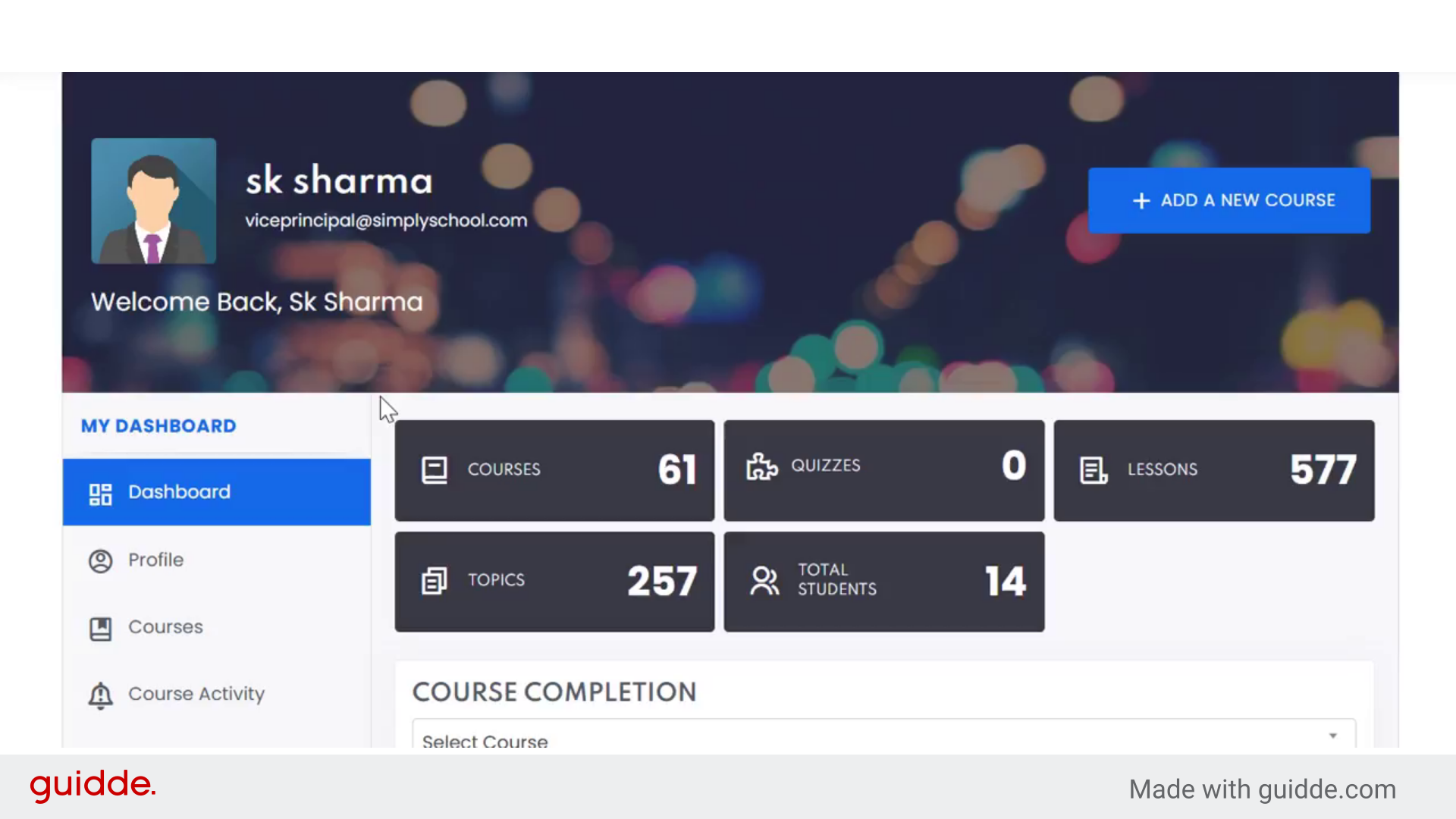
Overview of teacher dashboard

2. Introduction #

assessing course completion status of students in two mode. first course wise and another is student wise.
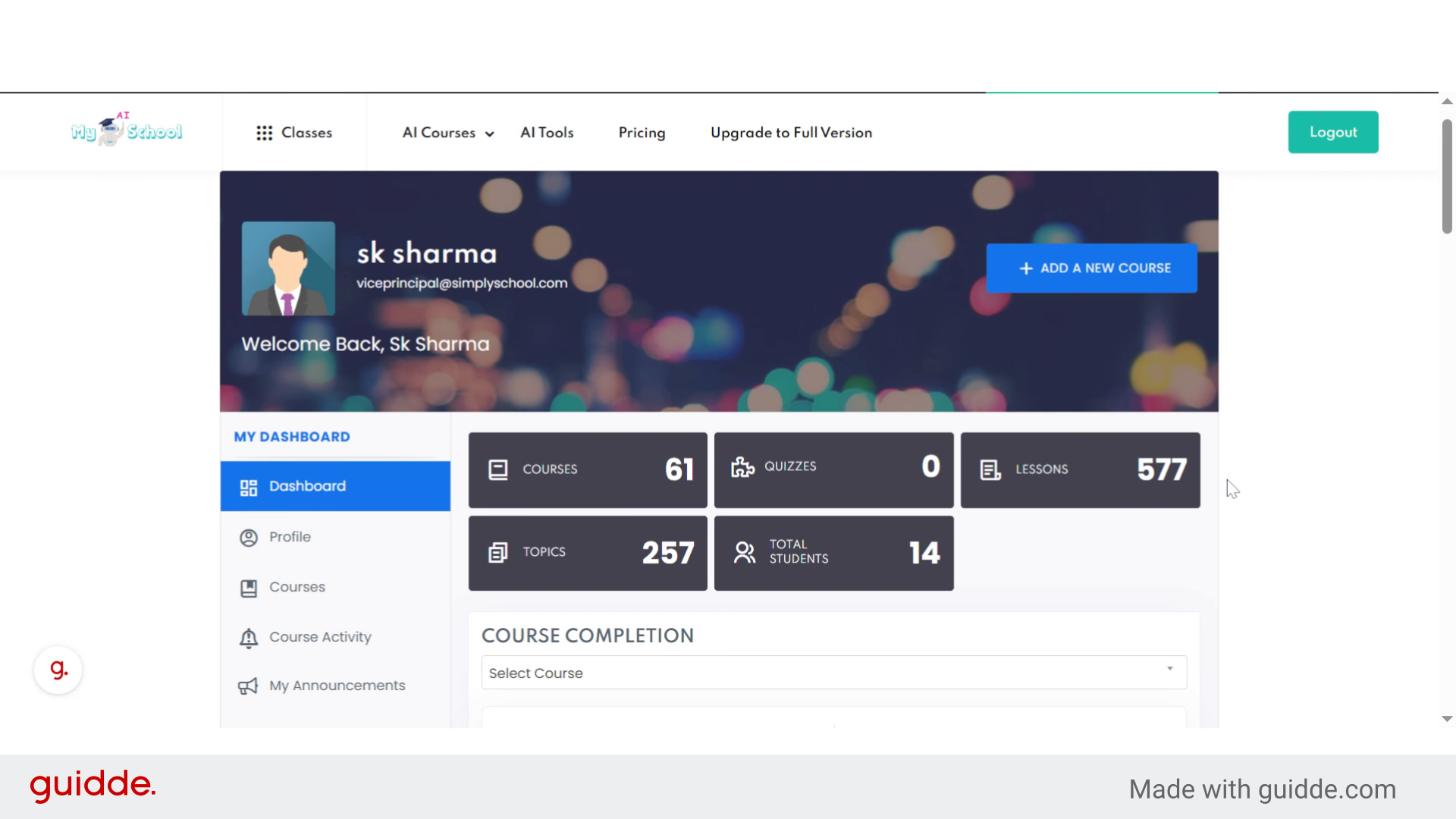
Introduction

3. Select “Class 7 Science” #

Choose the specific course you want to work with, such as Class 7 Science.
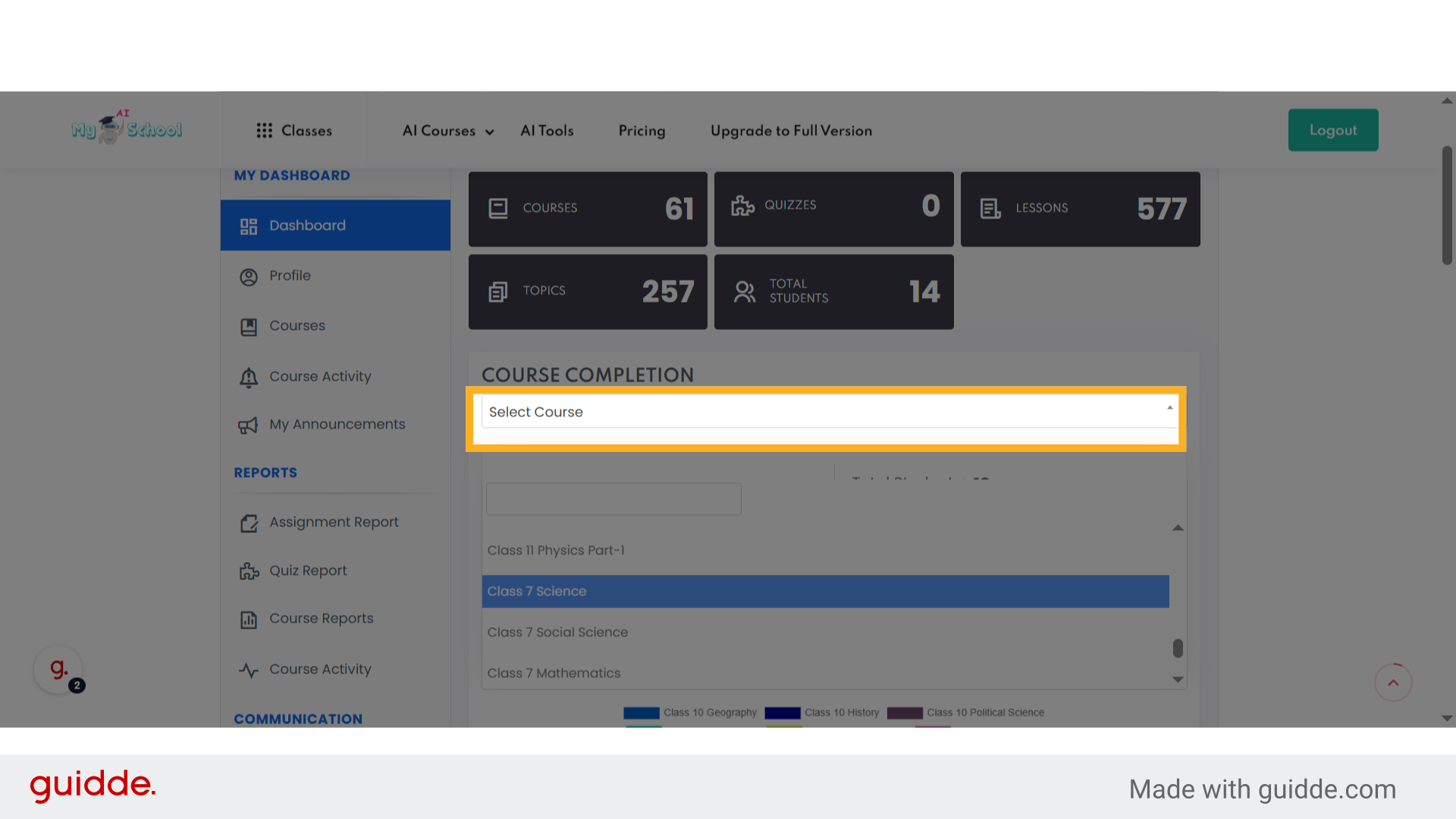
Select 'Class 7 Science'

4. course insights of class 7 science #

here you can see the no. of students enrolled in this course, how many students completed course, how many are in progress and how many have not started with visuals charts.
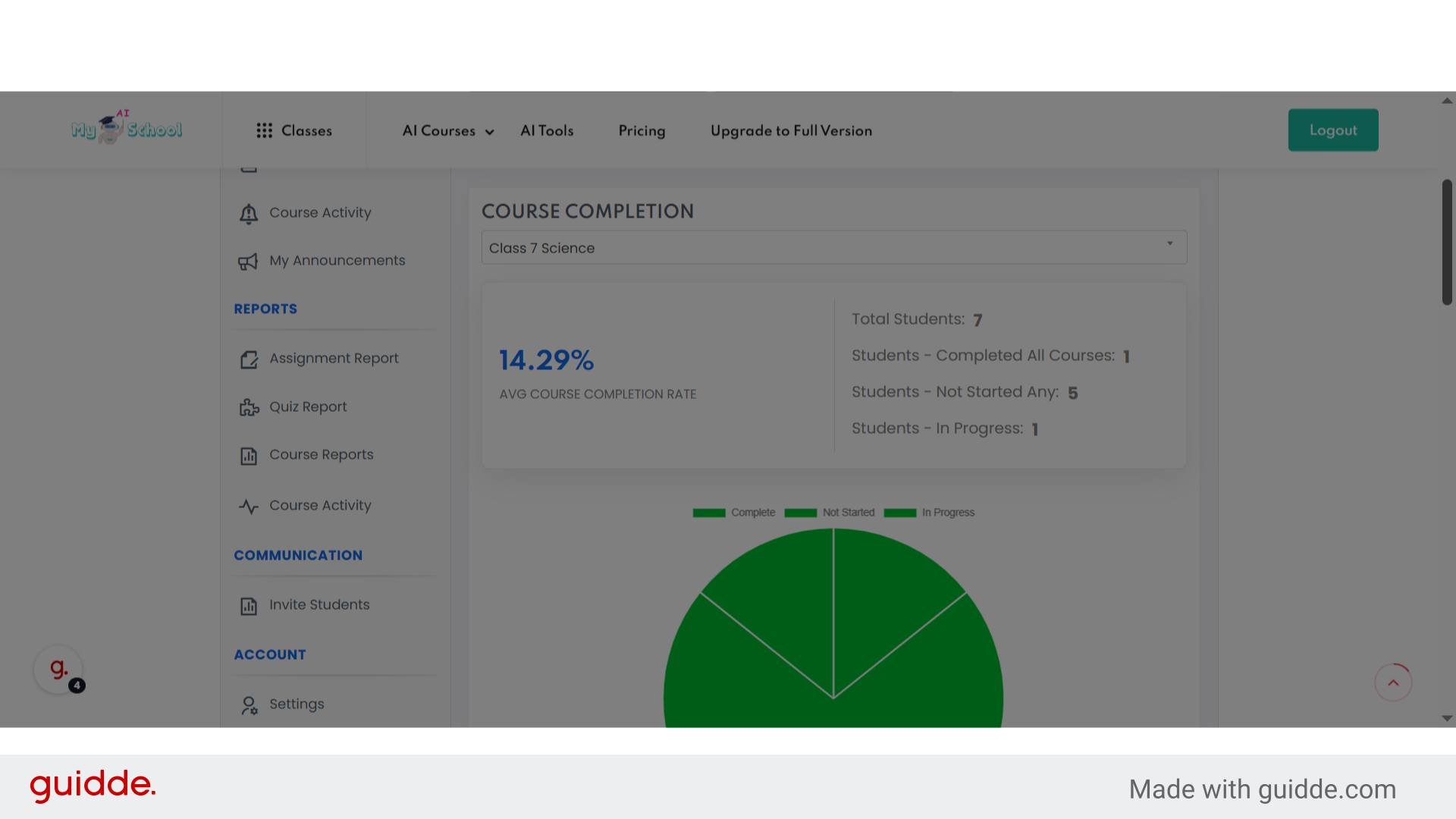
course insights of class 7 science

5. student wise status. #

Click on a student’s name, like Aakash Roy, to review individual progress and details of his/her courses assigned.
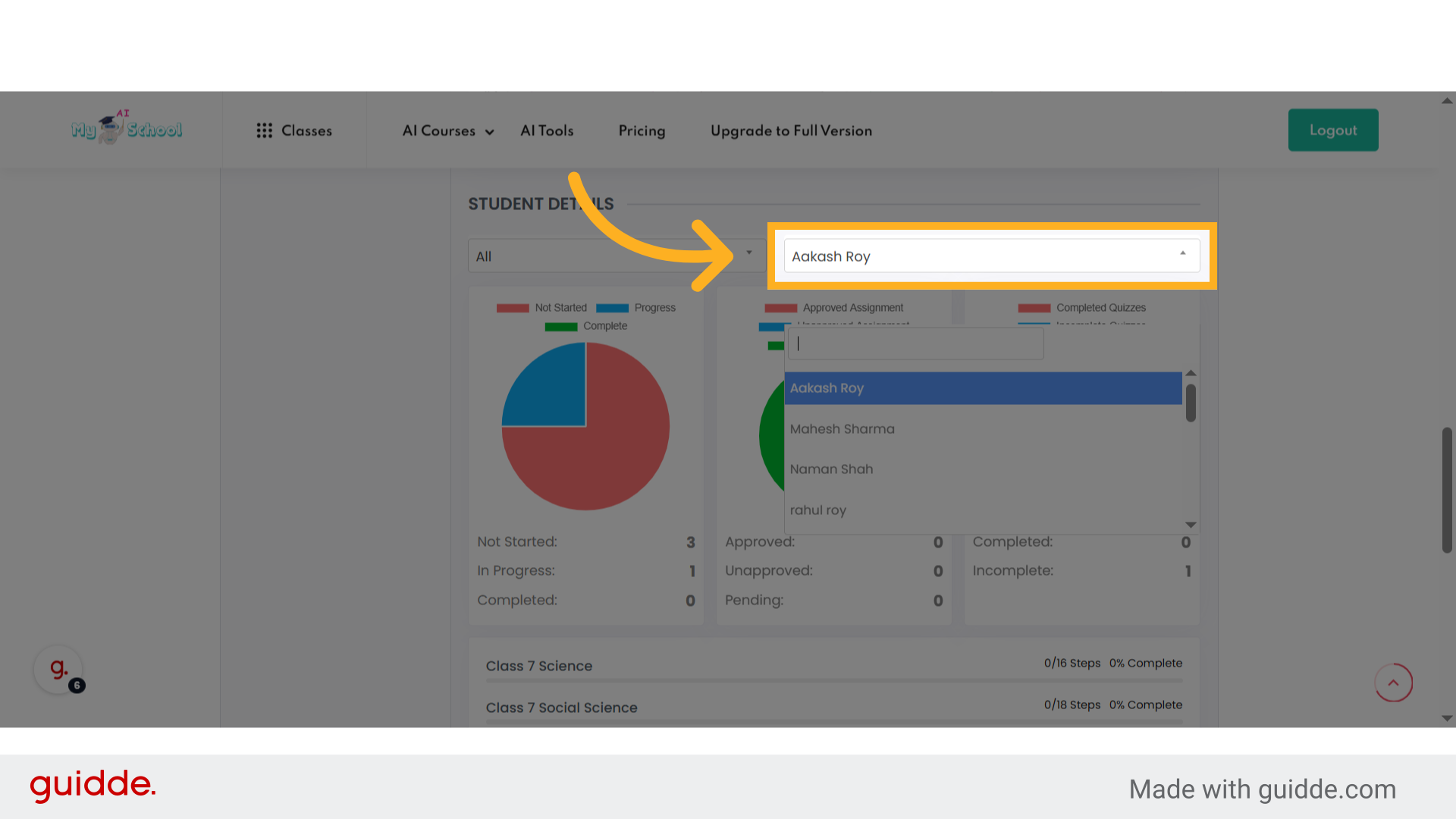
student wise status.

6. Select anoter student #

Select another student, such as Naman Shah, to compare or update their information.
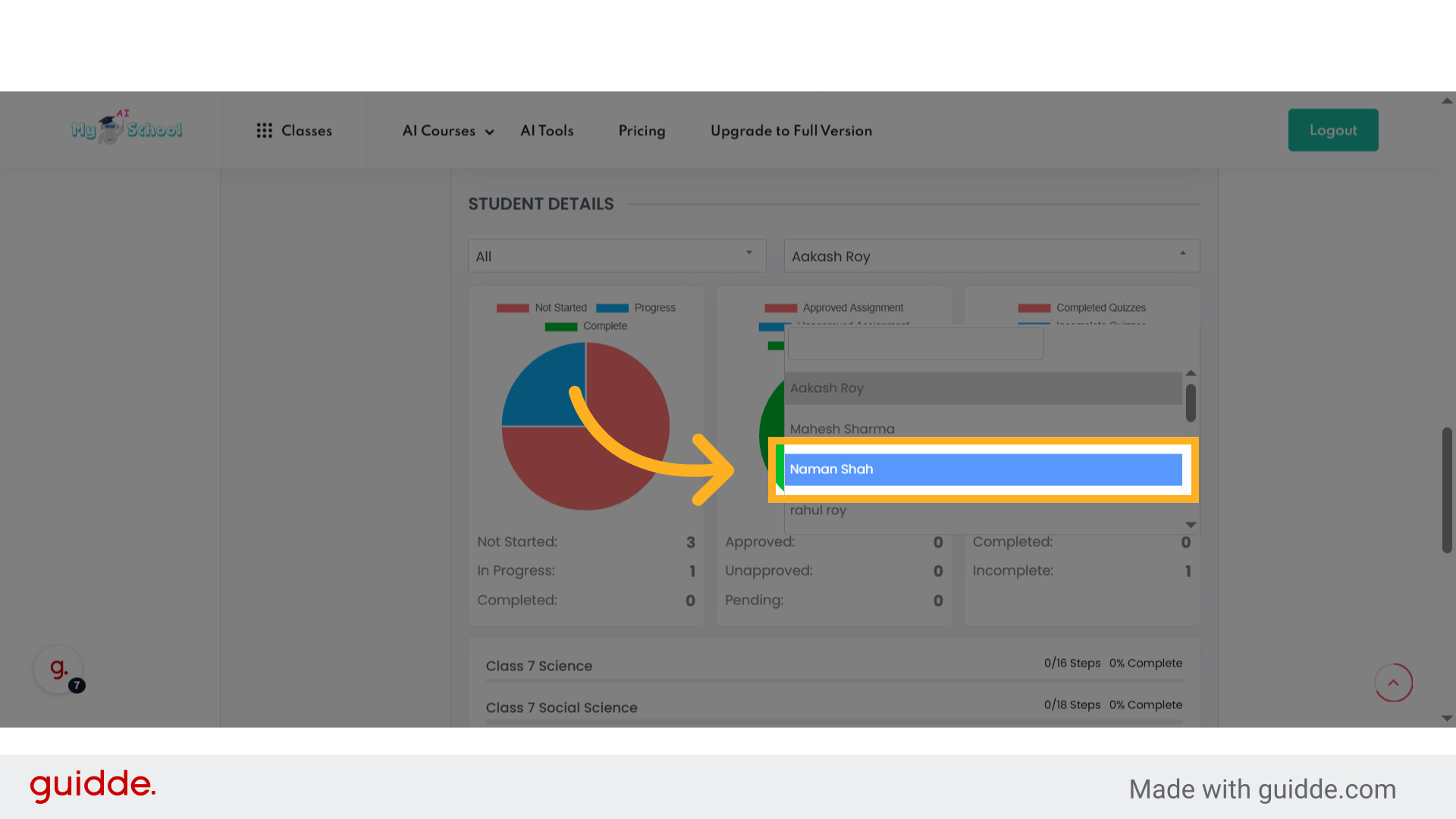
Select anoter student

7. check progress of selected student #

Navigate to a different course, for example, Class 7 Social Science, to monitor its completion status and steps.
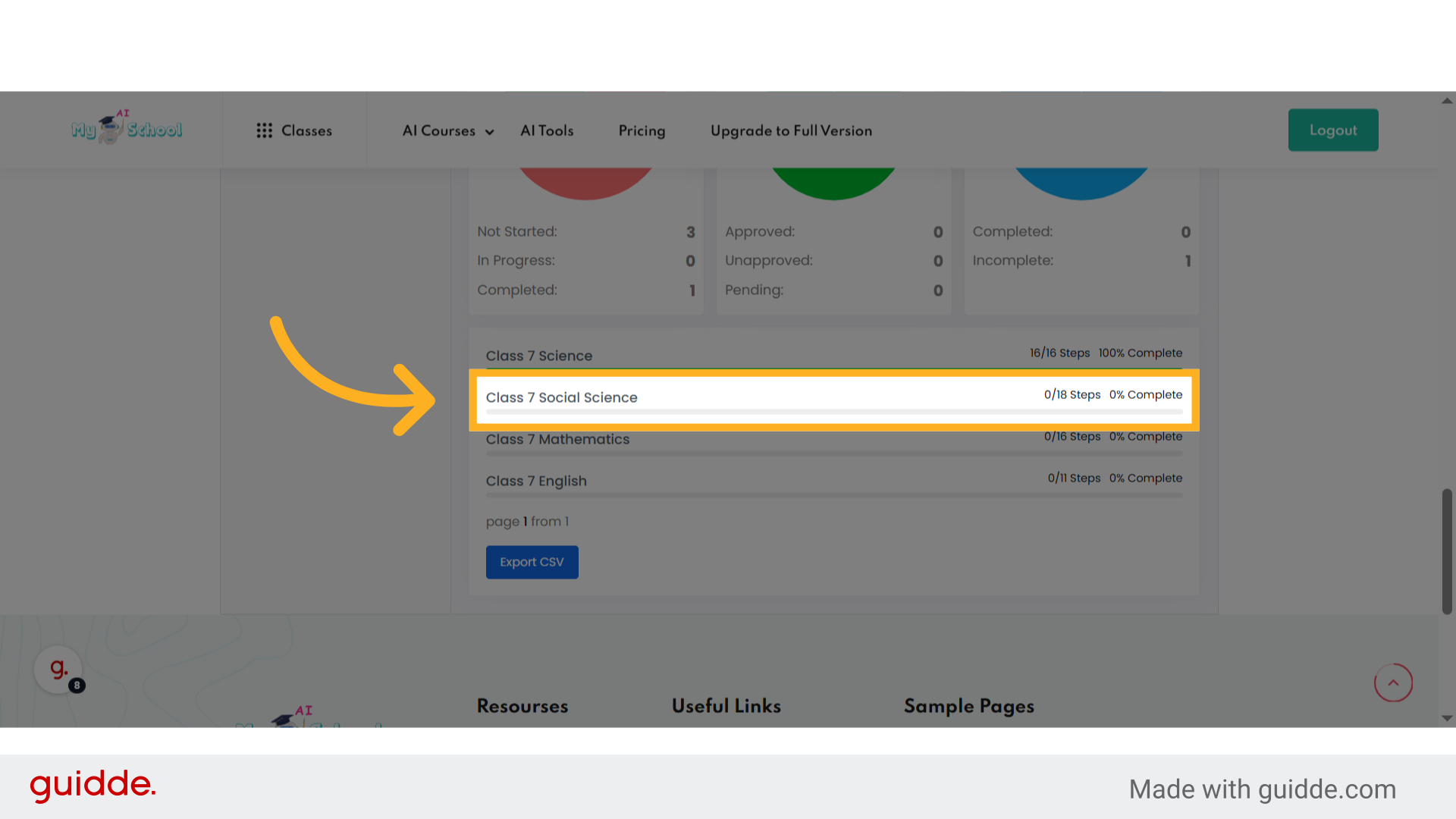
check progress of selected student

This guide walked you through navigating the teacher dashboard, selecting courses and reviewing student progress to efficiently manage your classes.
Powered by guidde
What are your Feelings

Share This Article :

  • Facebook
  • X
  • LinkedIn
  • Pinterest
Updated on August 23, 2025
Assign Additional Teachers to Class
Table of Contents
  • Teacher dashboard Overview
    • 1. Overview of teacher dashboard
    • 2. Introduction
    • 3. Select "Class 7 Science"
    • 4. course insights of class 7 science
    • 5. student wise status.
    • 6. Select anoter student
    • 7. check progress of selected student
MyAiSchool

MyAISchool is a Brand of Simplyclass Edutech Private Limited and provides comprehensive digital learning solutions tailored for schools. 

Whatsapp Now
Icon-facebook Icon-linkedin2 Icon-instagram Icon-twitter Icon-youtube

Resourses

  • Pricing & Plans
  • Courses
  • FAQs
  • Tutorials
  • Blogs

Useful Links

  • Login/Log out
  • My Dashboard
  • School Management
  • Teachers Training
  • Students Training

Sample Pages

  • Home Page
  • Homepage Setting
Copyright 2026 Simplyclass Pvt. Ltd. |. All Rights Reserved
Download TXT
Download PDF
MyAiSchoolMyAiSchool
Sign inSign up

Sign in

Don’t have an account? Sign up
Lost your password?

Sign up

Already have an account? Sign in
MyAiSchool
Lost your password? | Register