

Skip to content
Sales Support: 7827428166
any query Drop Mail: simplyclass365@gmail.com
Login/Register
Claim Your AI Powered LMS
MyAiSchoolMyAiSchool
  • Classes
    • Class 10
      • Class 10 Academics
      • Class 10 Advanced Skill
    • Class 11
      • Class 11 Arts
      • Class 11 Commerce
        • Class 11 Academics
        • IIT NEET/JEE
      • Class 11 Science
        • Class 11 Academics
        • IIT NEET/JEE
    • Class 12
      • Class 12 Arts
      • Class 12 Commerce
        • Class 12 Academics
        • IIT NEET/JEE
      • Class 12 Science
        • Class 12 Academics
        • IIT NEET/JEE
    • Class 6
      • Class 6 Academics
      • Class 6 Advanced Skill
    • Class 7
      • Class 7 Academics
      • Class 7 Advanced Skill
    • Class 8
      • Class 8 Academics
      • Class 8 Advanced Skill
    • Class 9
      • Class 9 Academics
      • Class 9 Advanced Skill
  • AI Courses

      Lets Learn Through AI Tutors

      Foundation

      • CLASS 6AI
      • Class 7AI
      • Class 8AI
      • CLASS 9AI
      • CLASS 10AI

      Class 11-12

      • Class 11 Science
      • Class 12 Science
      • Class 11 Commerce
      • Class 12 Commerce
      • Class 11 Arts
      • Class 12 Arts

      Advanced Skill Courses

      • Junior IASTrending
      • Junior DoctorTrending
      • Judge SahabTrending
      • Coding & AI EngineerComing Soon..
      • Data ScientistComing Soon..
  • AI Tools
  • Features
  • Pricing
  • Upgrade to Full Version
0

Currently Empty: ₹0.00

Continue shopping

Login
MyAiSchoolMyAiSchool
  • AI Courses

      Lets Learn Through AI Tutors

      Foundation

      • CLASS 6AI
      • Class 7AI
      • Class 8AI
      • CLASS 9AI
      • CLASS 10AI

      Class 11-12

      • Class 11 Science
      • Class 12 Science
      • Class 11 Commerce
      • Class 12 Commerce
      • Class 11 Arts
      • Class 12 Arts

      Advanced Skill Courses

      • Junior IASTrending
      • Junior DoctorTrending
      • Judge SahabTrending
      • Coding & AI EngineerComing Soon..
      • Data ScientistComing Soon..
  • AI Tools
  • Features
  • Pricing
  • Upgrade to Full Version

🎓 Category 1: Getting Started

  • Introduction to MyAiSchool
  • MyAiSchool vs Other AI Tools
  • NEP 2020 & CBSE/NCERT Alignment

📚 Category 2: Core AI Powered Learning Features

  • Study Notes & Summaries
  • Practice MCQs
  • Assessment Worksheets
  • Grammar Assessments
  • 24×7 AI Tutor
  • Vocabulary Assessments

⚙️ Category 3: Specialized AI Tools

  • AI Tools for Teachers and Students

🏫Category 4: School Onboarding

  • Manage Classroom and Courses
  • Add Students to Classroom
  • Assign Additional Teachers to Class
  • Teachers Course Dashboard

🎨 Category 5: Customize Homepage

  • Homepage Settings: Quick Guide
  • Edit: Hero, Notices & Today’s Schedule
  • Edit: Academics, AI Study Hub, Clubs & Achievements
  • Edit: Events, Contact, Socials, Testimonials & Google Calendar
View Categories
  • Home
  • Docs
  • 🏫Category 4: School Onboarding
  • Manage Classroom and Courses

Manage Classroom and Courses

1 min read

Hands-On Guide:How to Add Team (class), Team Leader (class teacher) and Courses under their organization. #

Welcome to My Ai School.

Go to demo.myaischool.in #

1. Introduction #

Welcome to your step-by-step guide on using My Ai School’s powerful organization management tools. This tutorial is perfect for school admins or coordinators who want to create academic teams (classes), assign teachers as team leaders, and attach course material — all from a central dashboard.
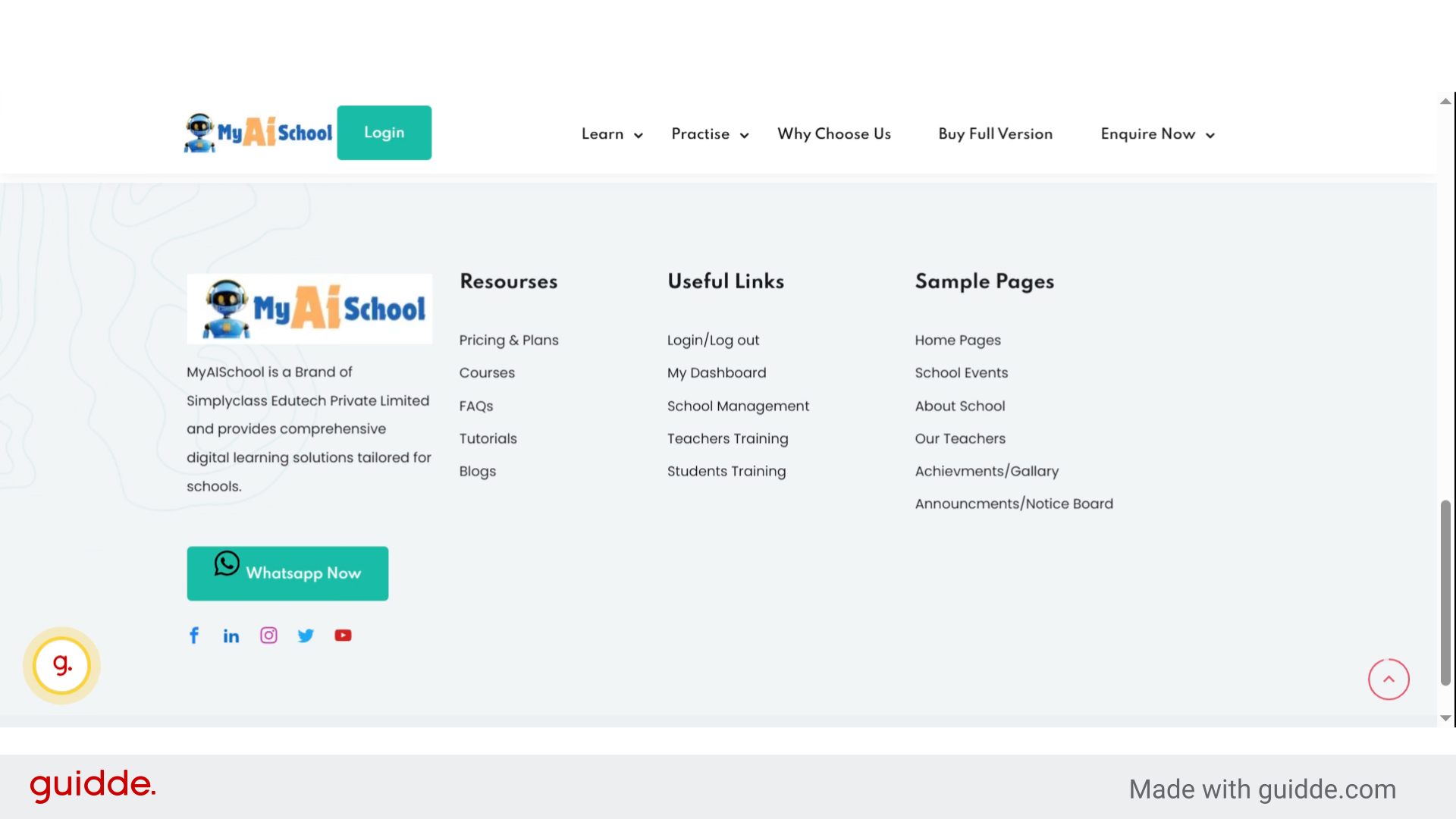
Introduction

2. Click “School Management” #

Click the “School Management” link in the footer menu of your website to access school management features.
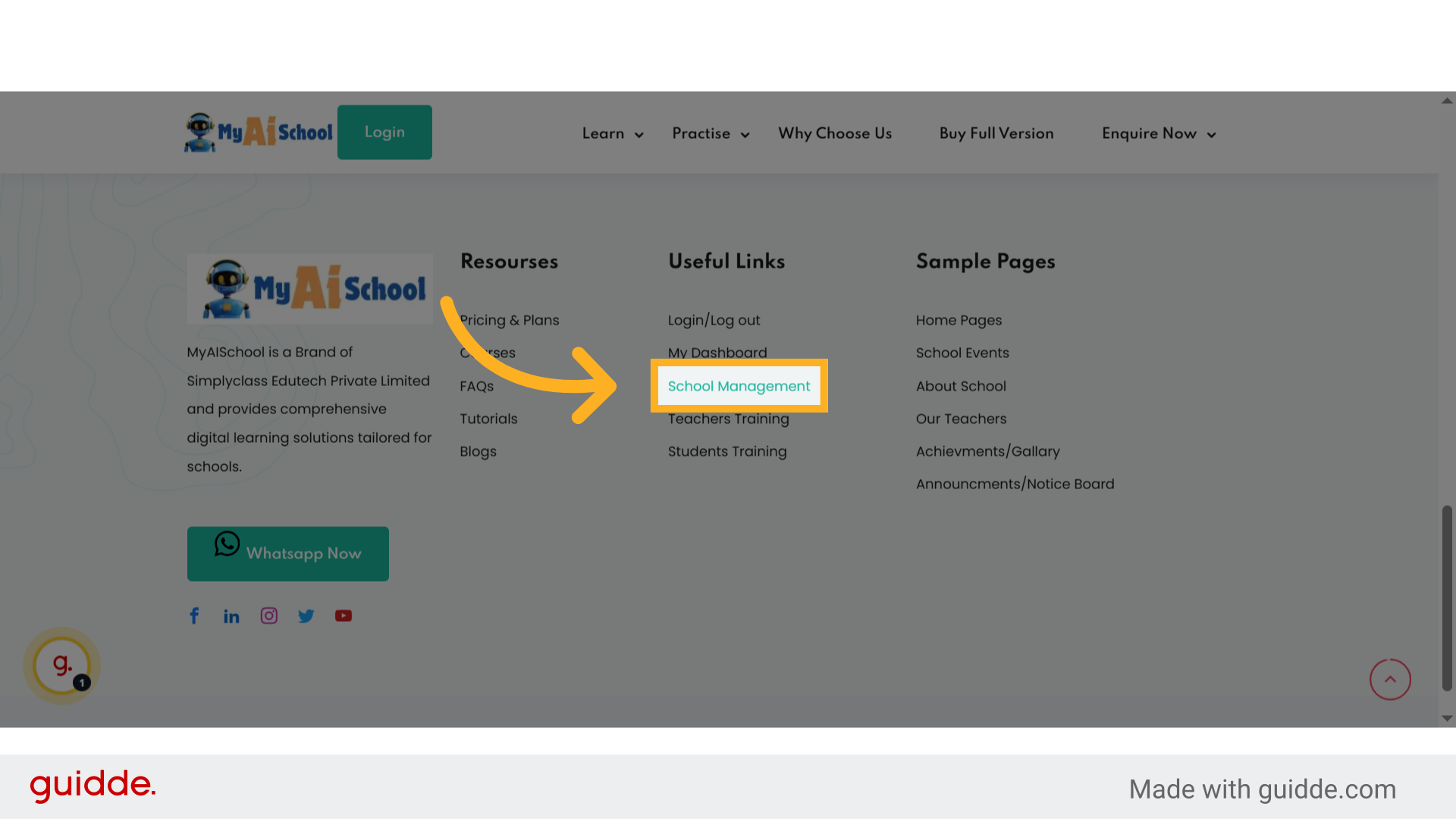
Click 'School Management'

3. Dashboard Page of School Management #

This will be the main page of your organization where you can manage your organization and Multi-Branch of your organization. You can Add your Students, Teacher and also assign courses to students from this single Dashboard. This ensures that all classes, teachers, and courses are mapped correctly to your particular organization.
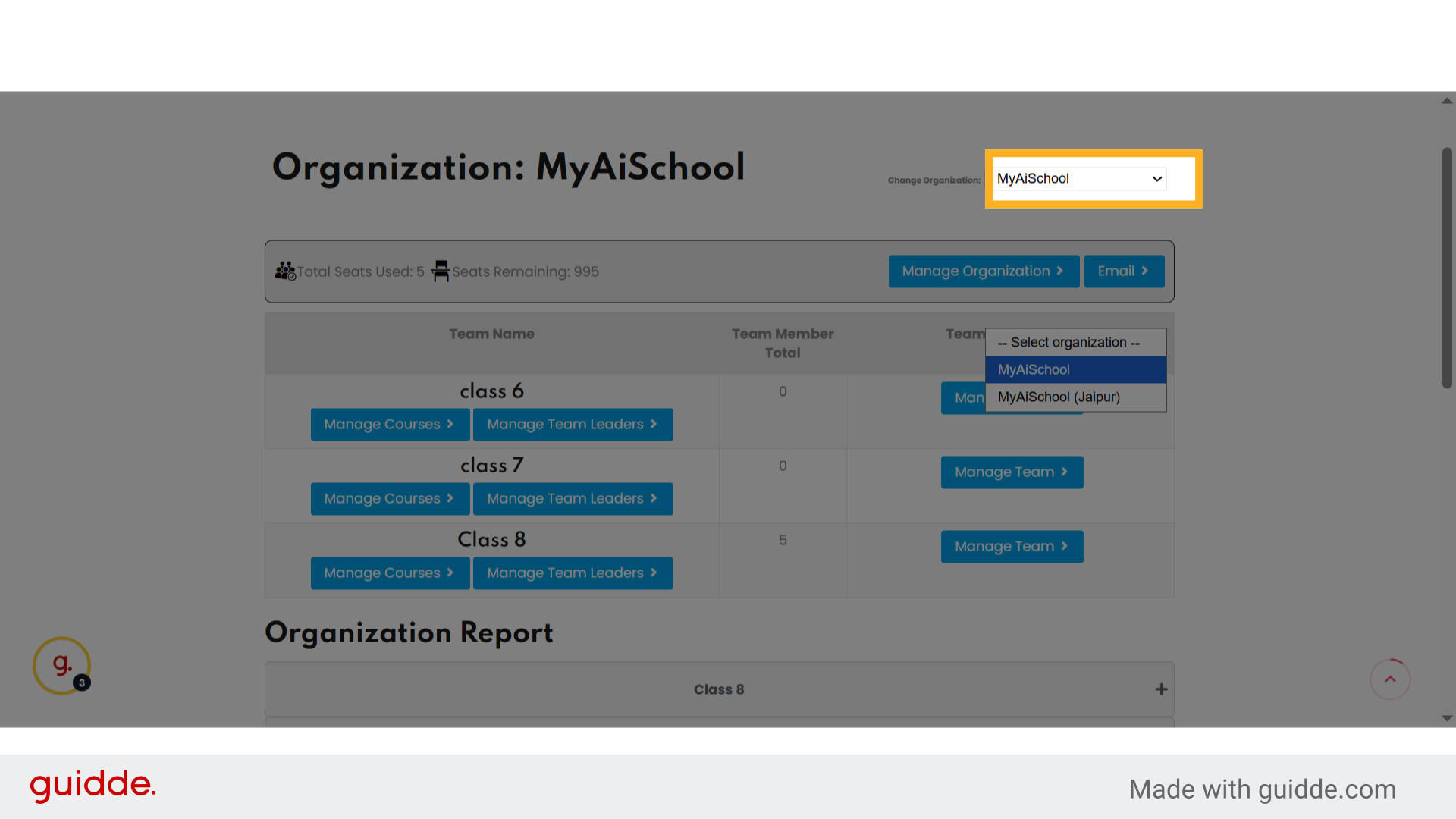
Dashboard Page of School Management

4. Step 3 Choose your Organization #

Click the organization dropdown again to confirm or change the selected organization.
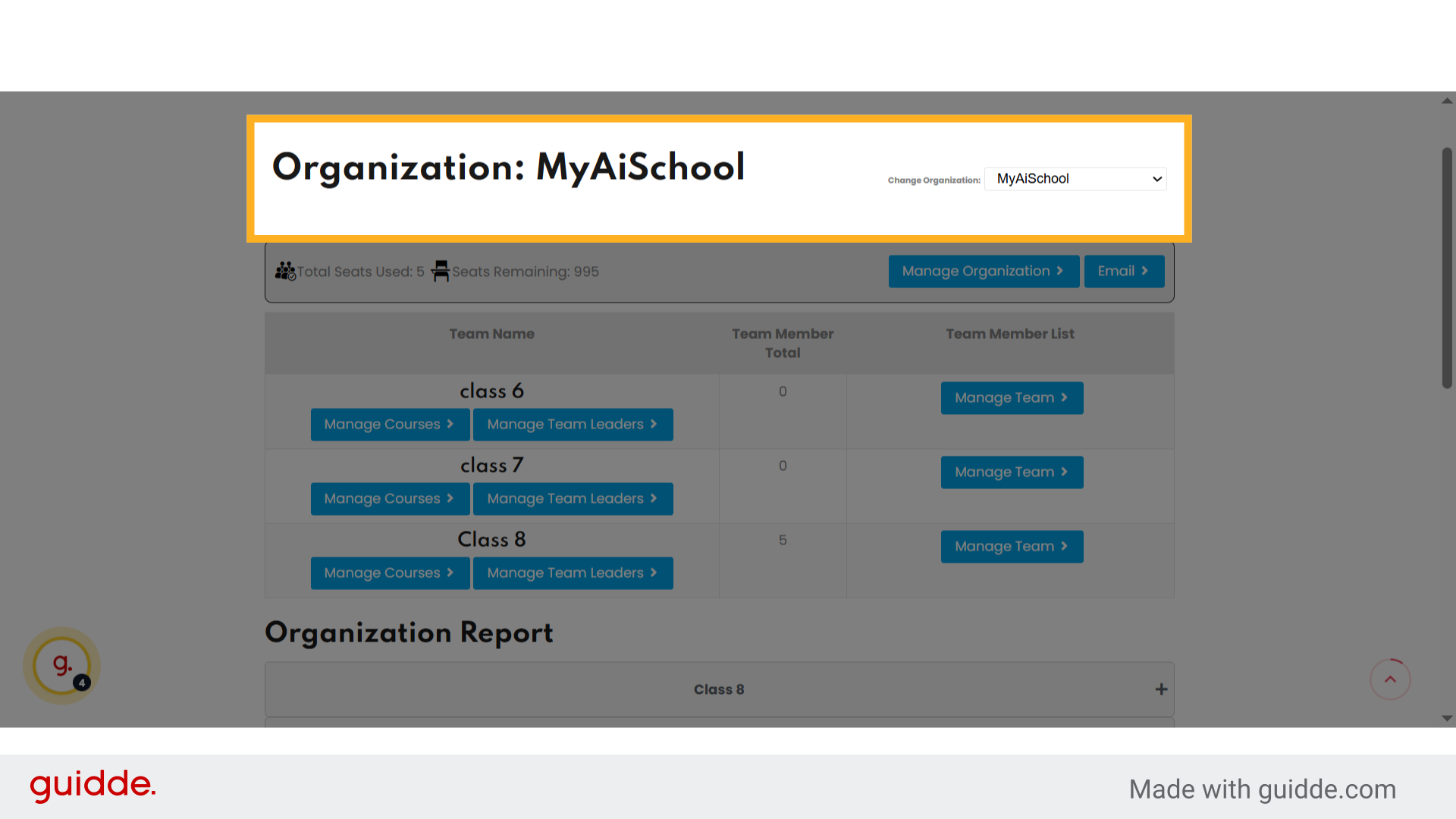
Step 3 Choose your Organization

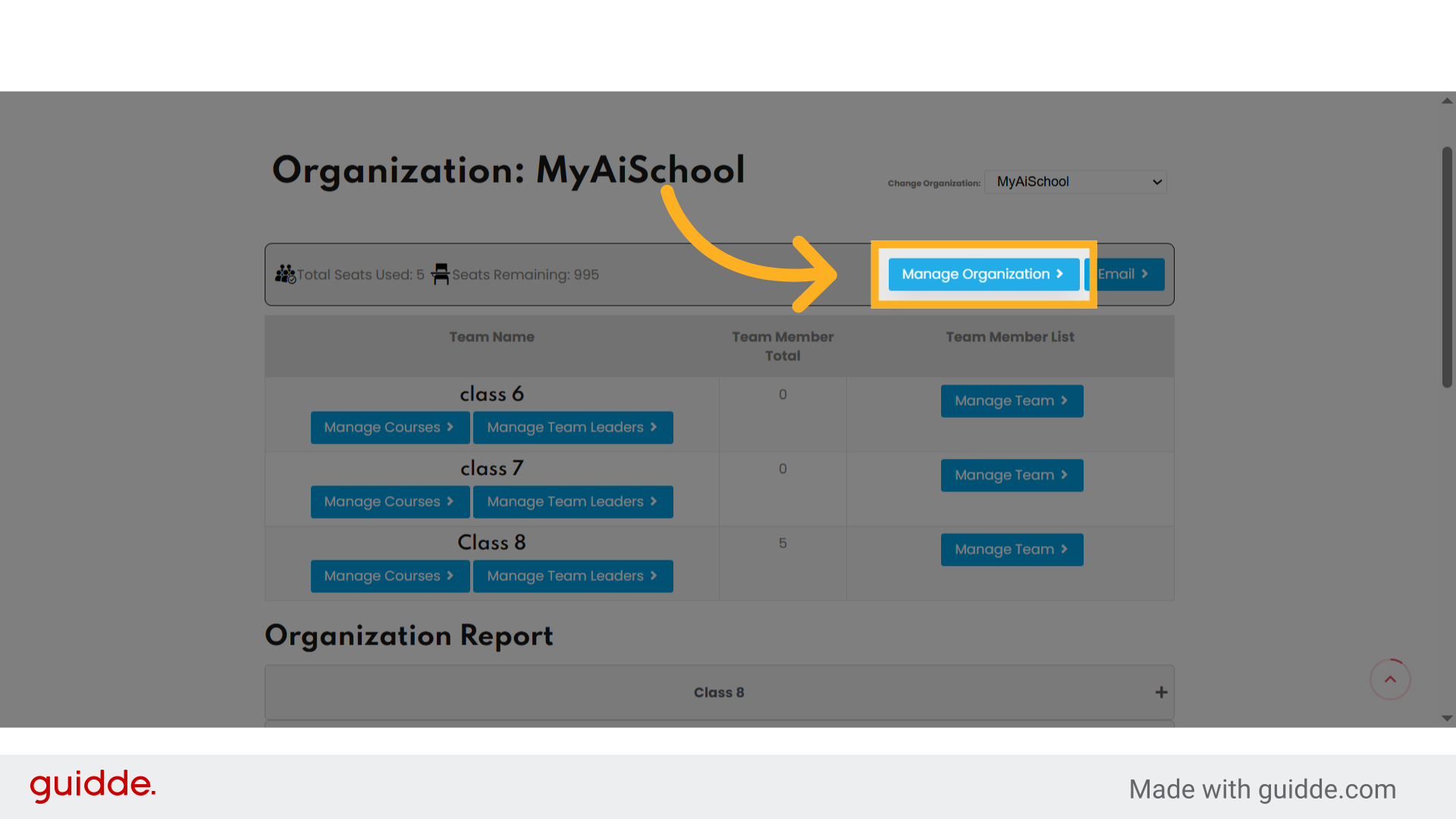
5. Click “Manage Organization” #

Click the “Manage Organization” option to open organization management settings. This section gives you access to team management, team leaders, course assignment, and analytics.
Click 'Manage Organization'

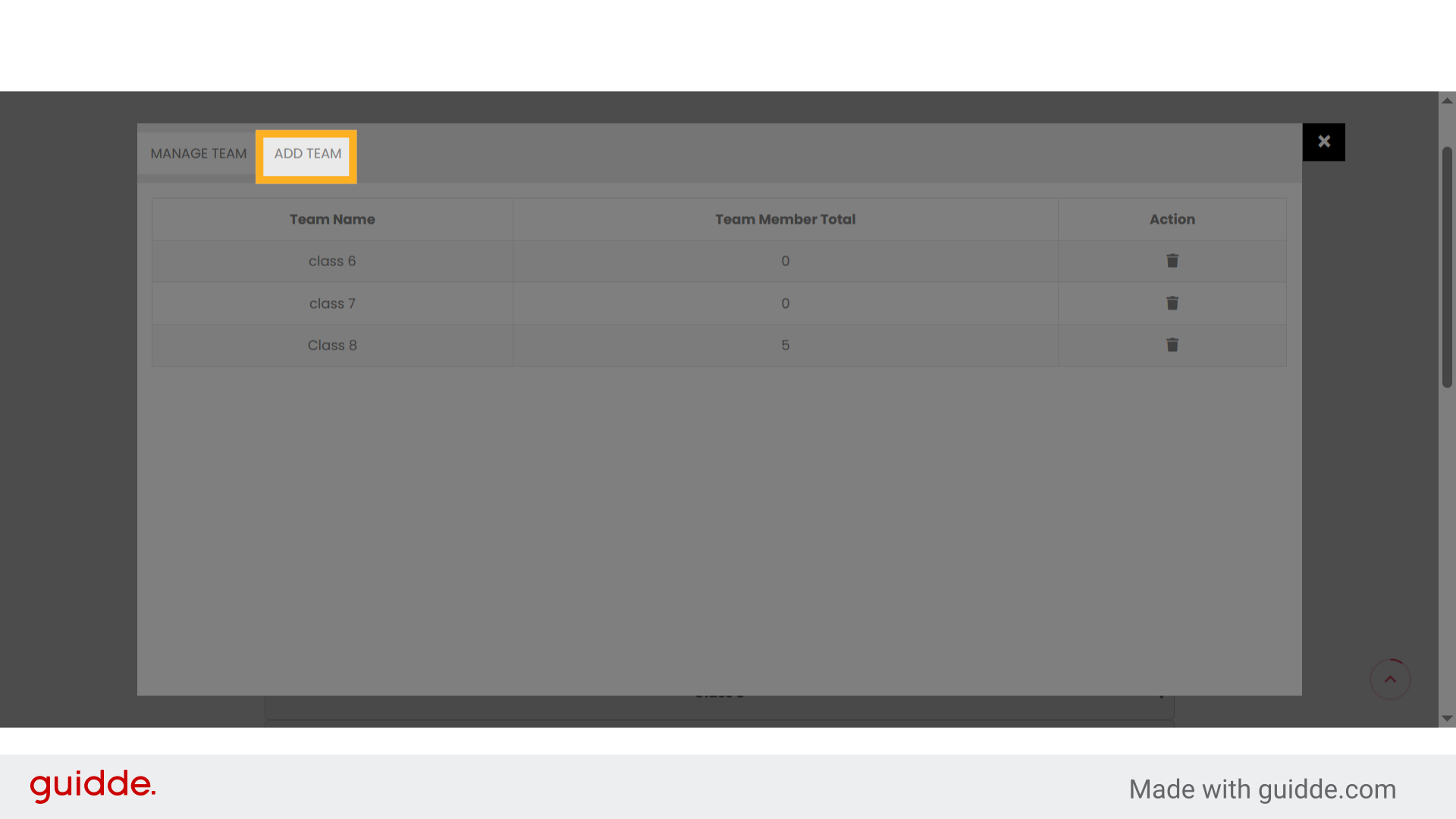
6. Click “Add Team” #

To create a new classroom or batch: 🖱️ Click on Add Team.
Click 'Add Team'

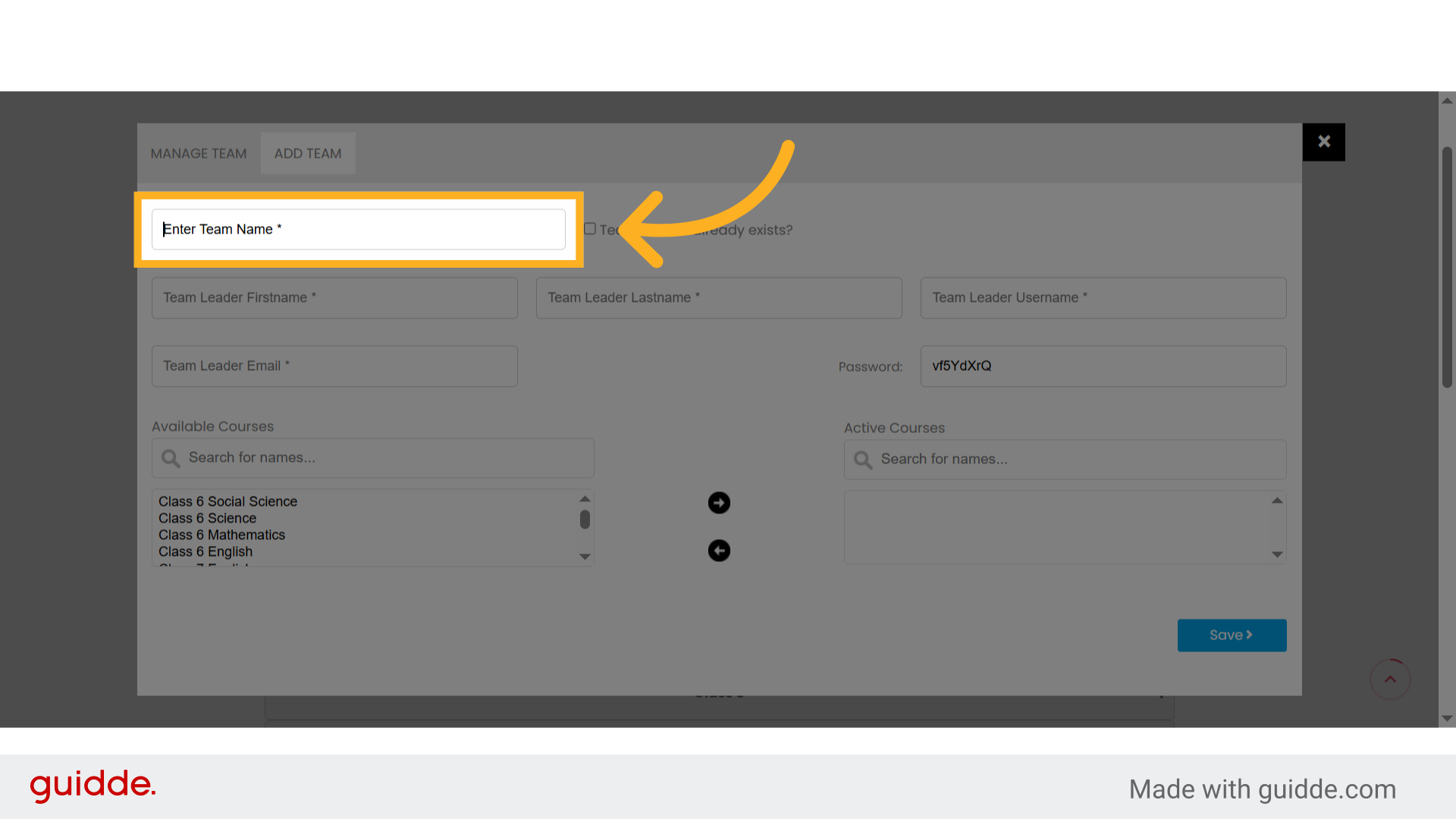
7. Click “Enter Team Name *” #

Enter Team Name — for example, Class 9, Batch A, or Grade 10 Science.
Click 'Enter Team Name *'

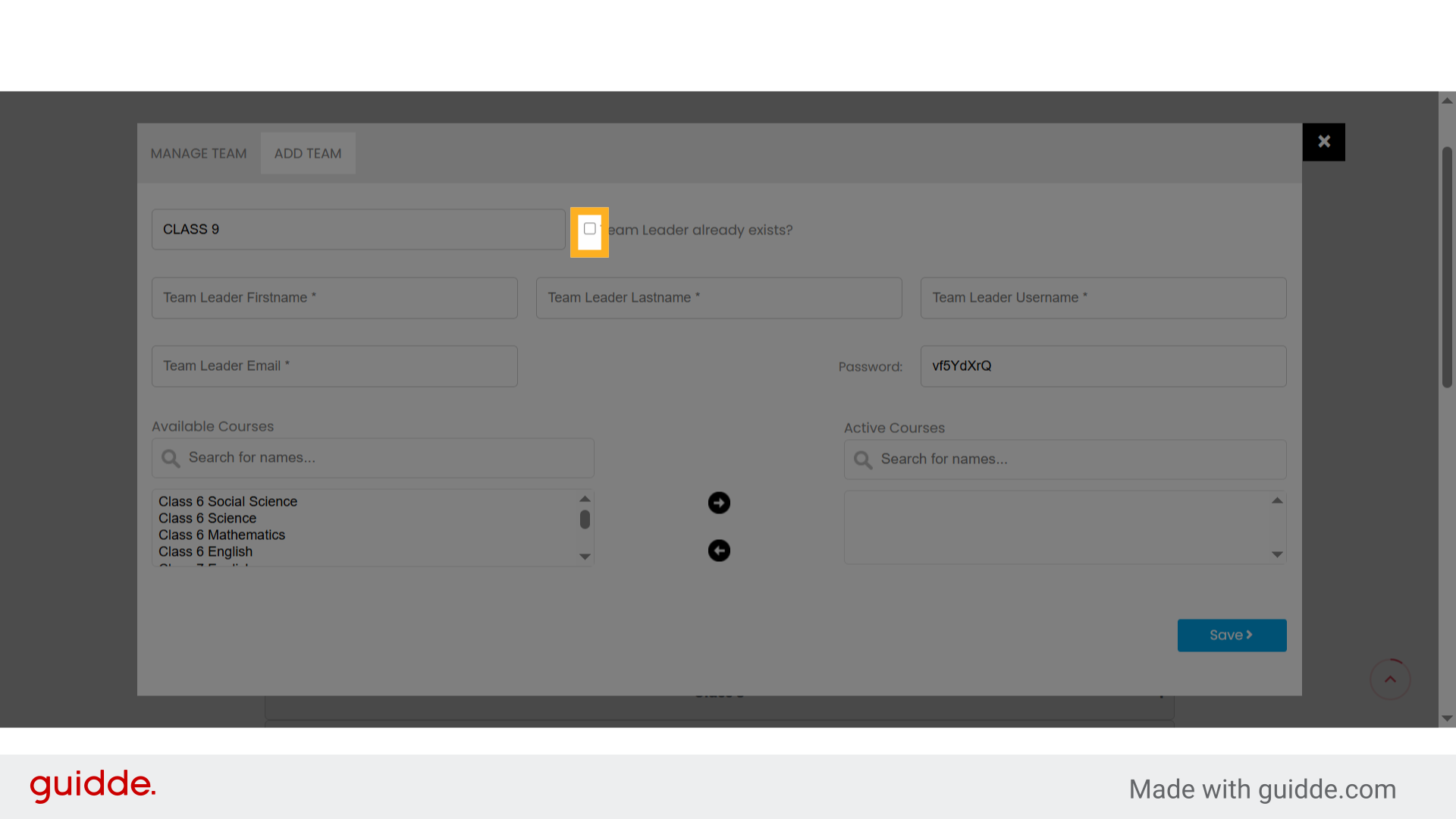
8. Click “Team Leader already exists?” #

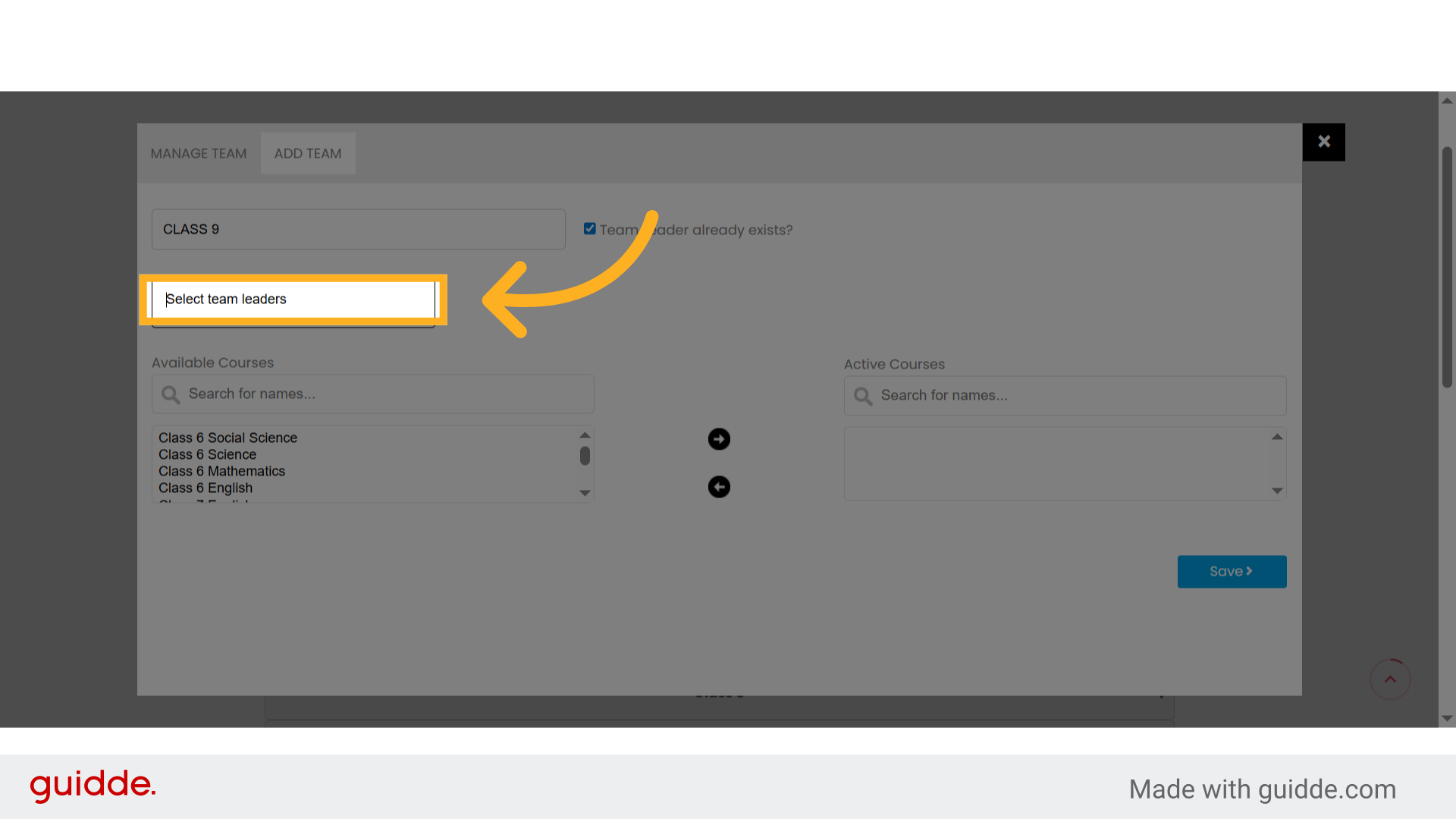
You have two options: ✅ If the team leader already exists: Check Team Leader already exists? They will receive login credentials once saved.
Click 'Team Leader already exists?'

9. Click “Select team leaders” #

Click the “Select team leaders” dropdown to choose existing team leaders.
Click 'Select team leaders'

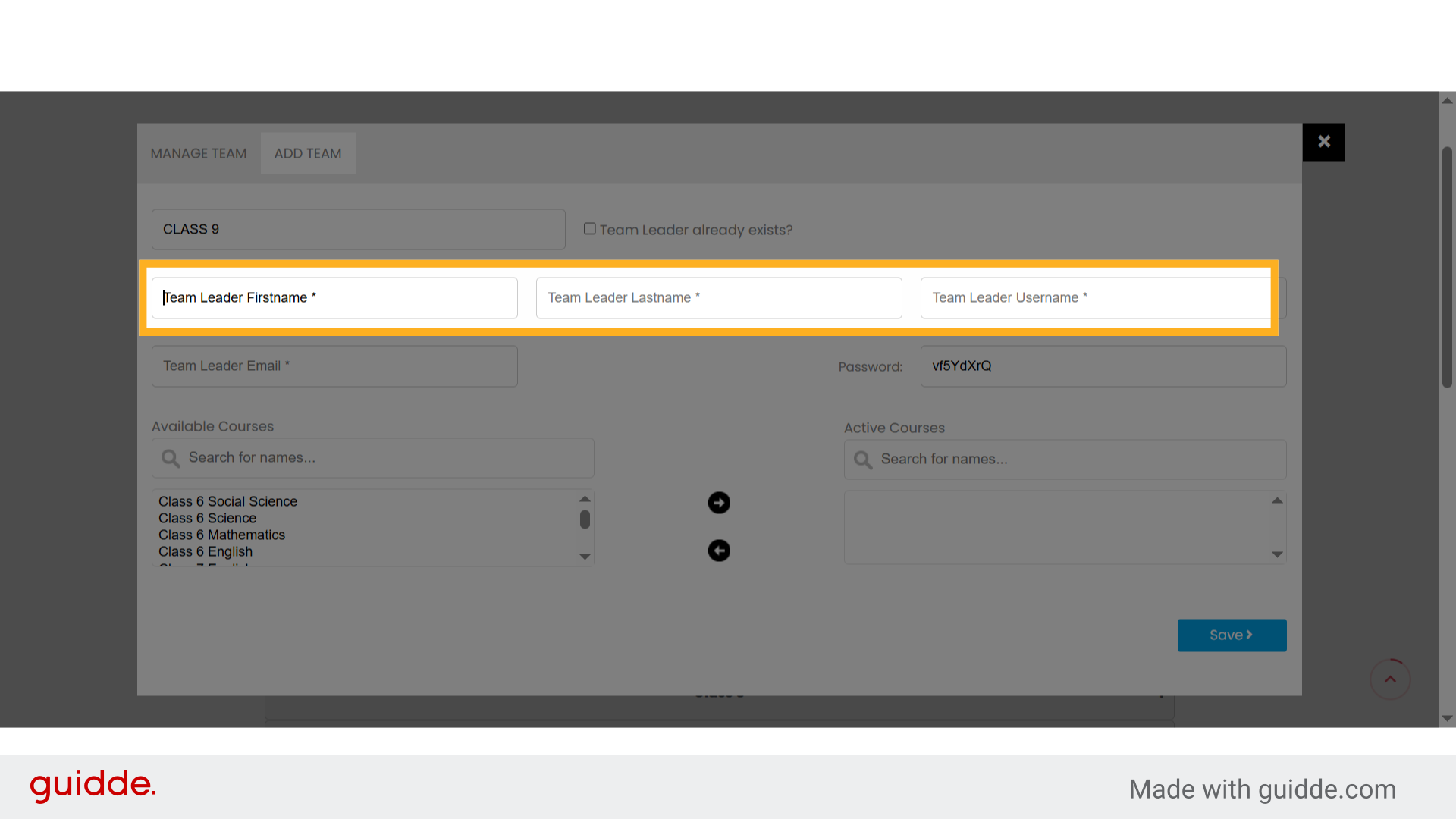
10. Click “Team Leader Firstname *” #

🆕 If the team leader is new: Enter their first name, Last Name, Username. They will receive login credentials once saved.
Click 'Team Leader Firstname *'

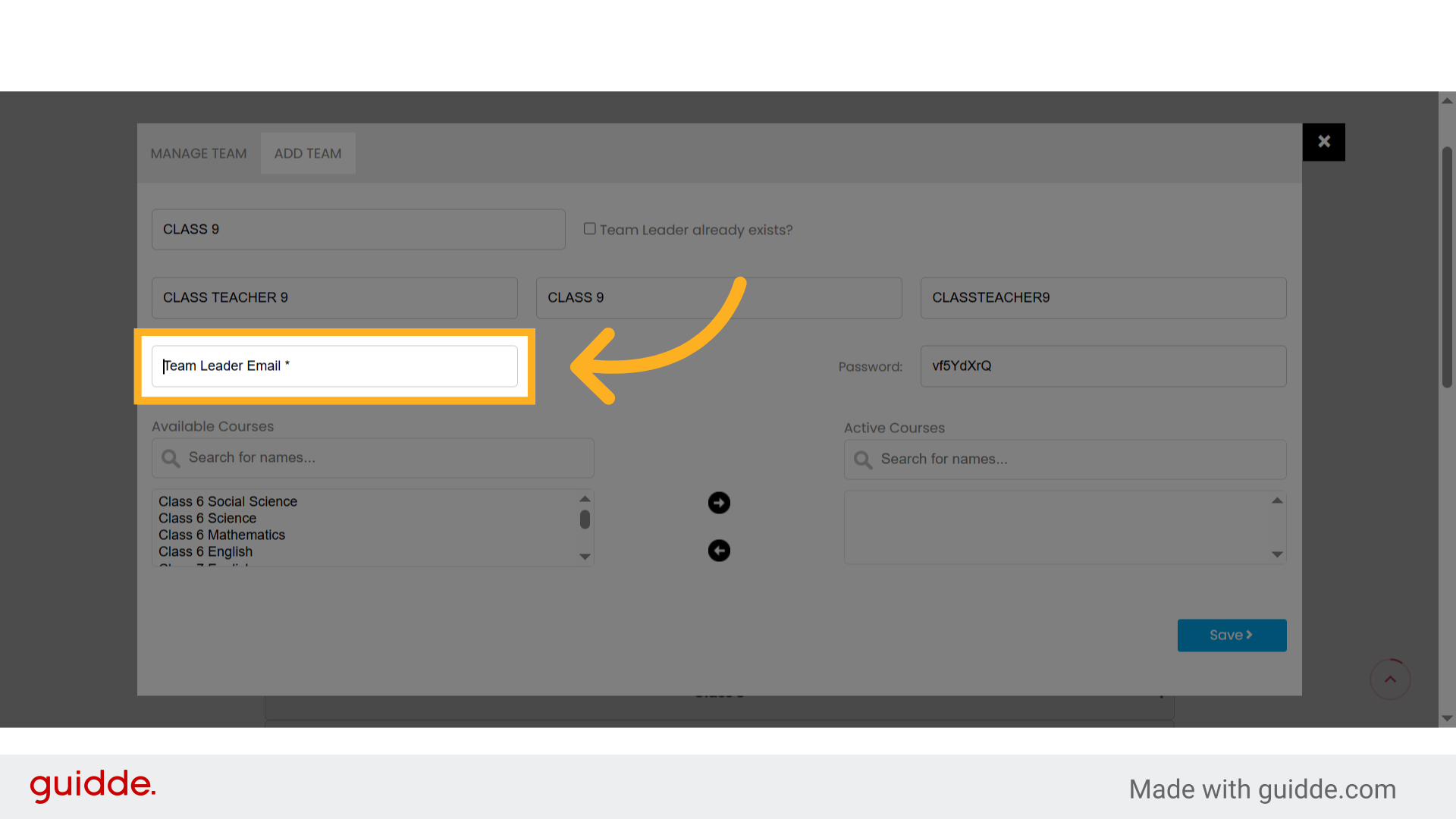
11. Click “Team Leader Email *” #

Enter the “Team Leader Email & password*in the” input field. this Email and password will be used for login purpose of the Team Leader, please enter the correct and active Email for verification purpose in future.
Click 'Team Leader Email *'

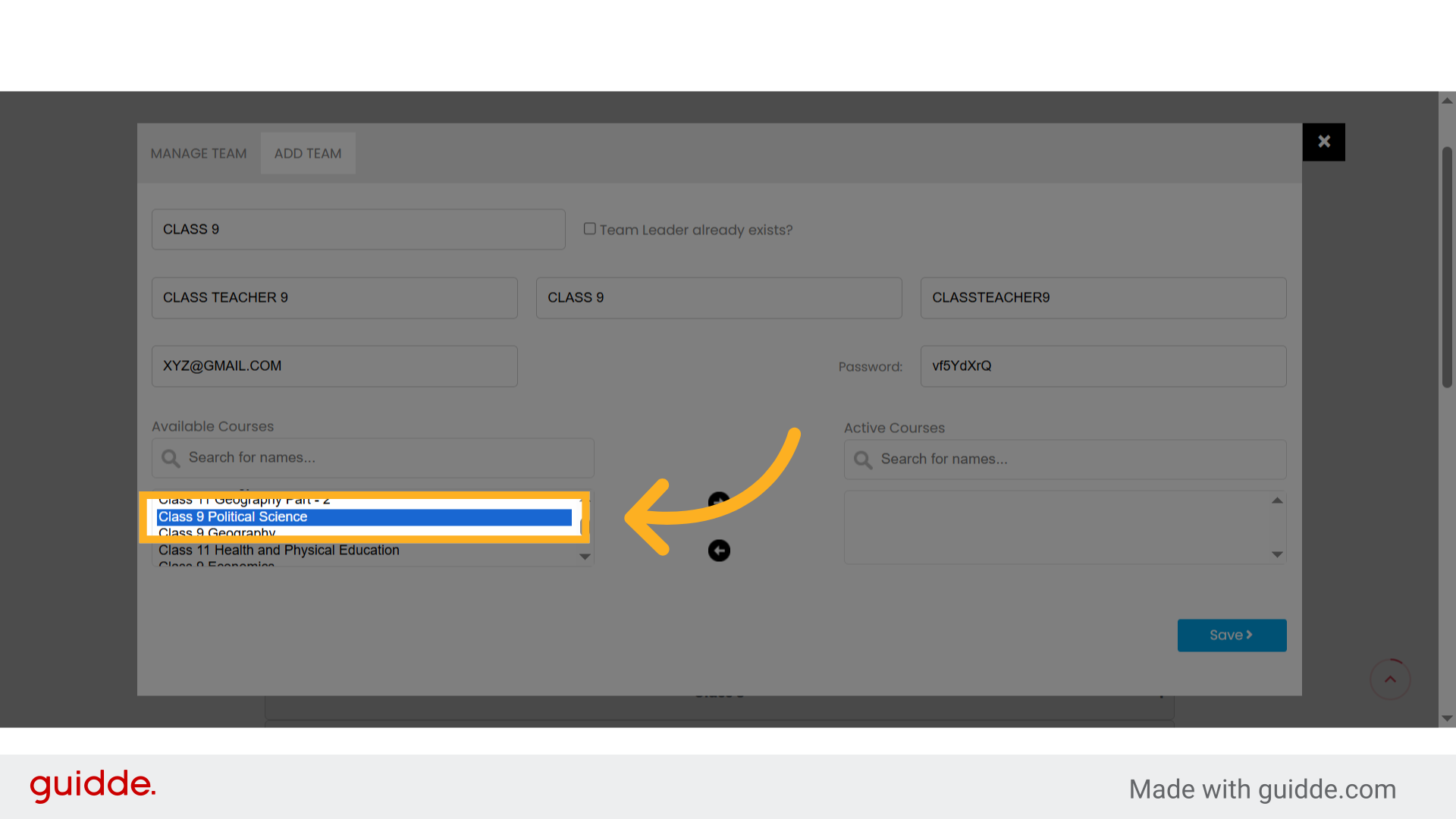
12. Select “Class 9 Courses” #

Select courses like: Class 6 Mathematics Class 9 Political Science Class 9 Geography Class 6 Science, etc.
Select 'Class 9 Courses'

13. click on the Arrows Button to add the selected courses. #

Fill in or confirm the selected courses to add in the particular class/section or Team.
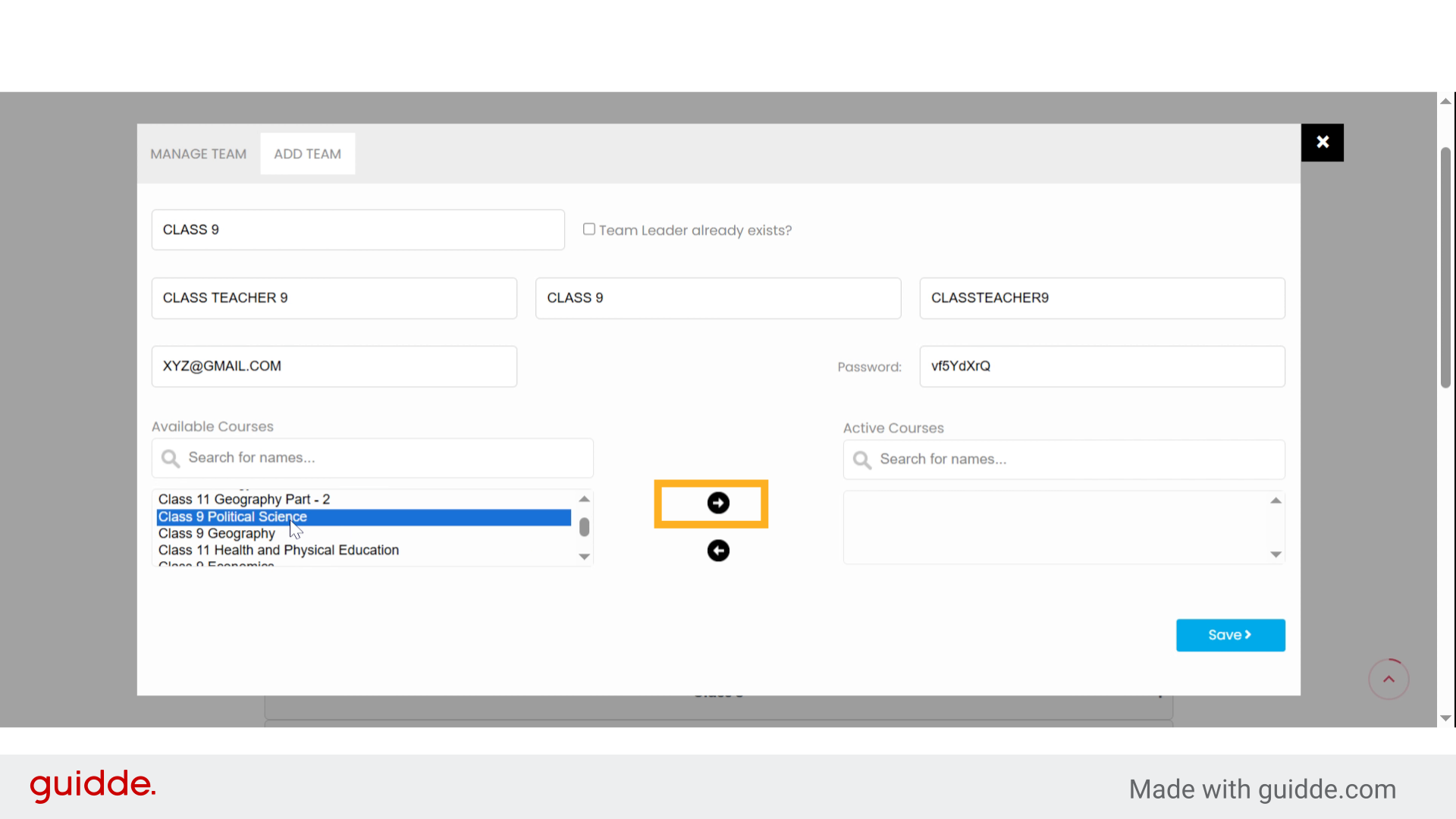
 click on the Arrows Button to add the selected courses.

14. Save and Finalize #

Once you’ve selected: ✅ Team Name ✅ Team Leader ✅ Courses 🖱️ Click the Save button to confirm your new team settings.
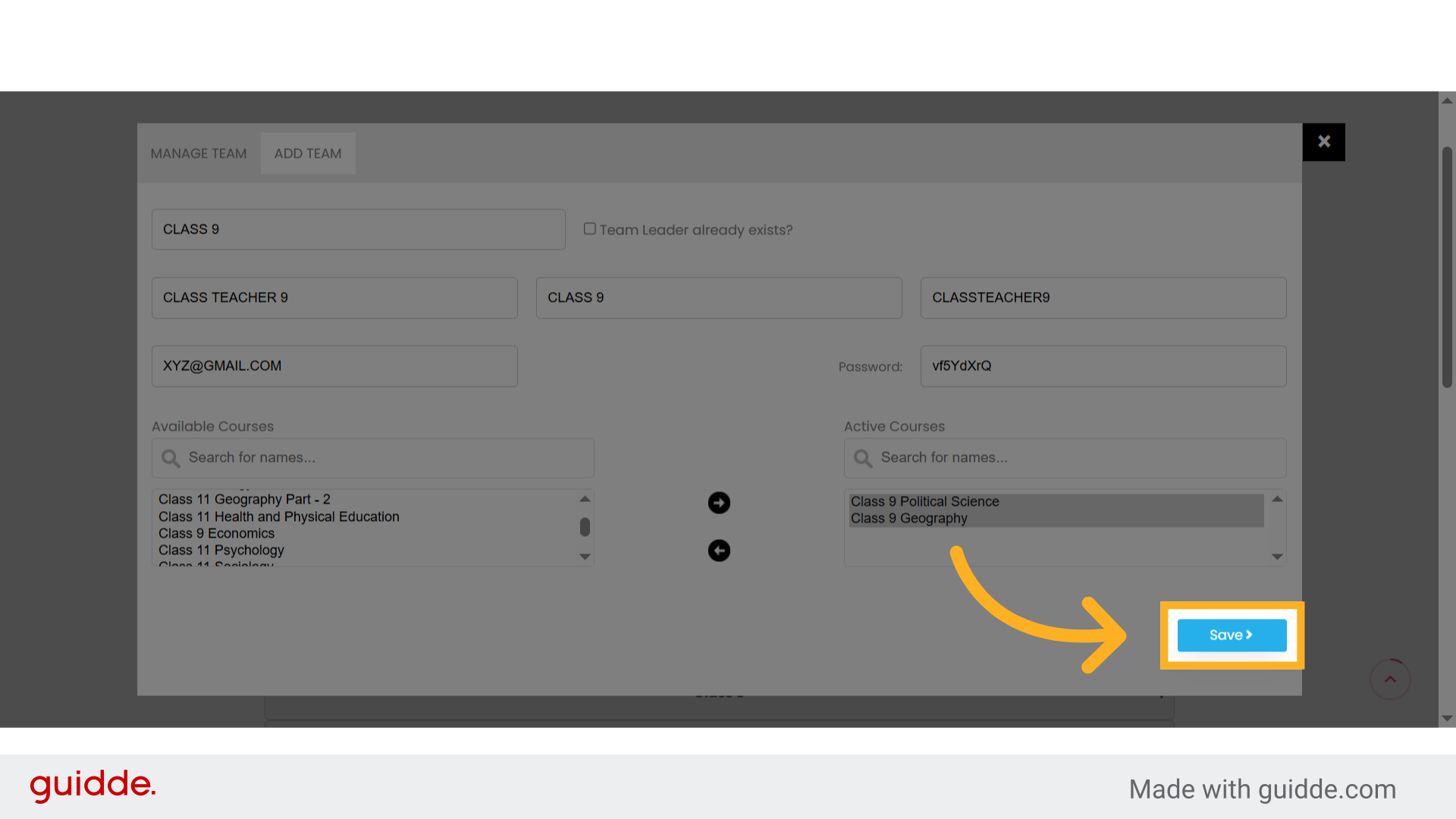
Save and Finalize

15. Team is now Listed under your organization. #

You’ll now see the team (e.g., “CLASS 9”) listed under your organization. You can revisit this team to manage users, assign new courses, or view analytics.
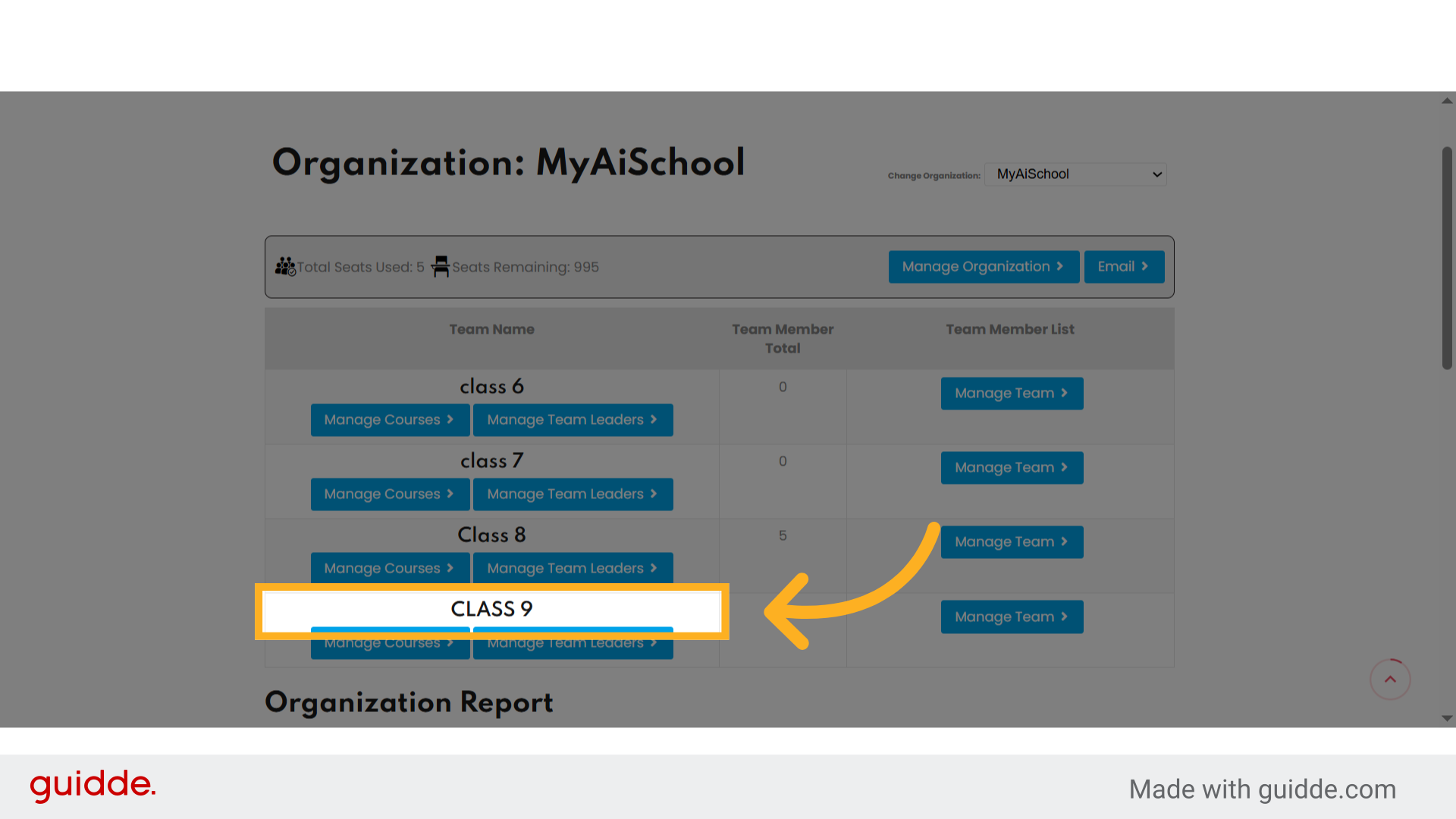
Team is now Listed under your organization.
Creating and managing academic teams under your organization is now easier than ever with MyAiSchool’s School Management System. 👉 Log in now to organize your classroom, add your teachers, and supercharge your students’ learning journey!
Powered by guidde
What are your Feelings

Share This Article :

  • Facebook
  • X
  • LinkedIn
  • Pinterest
Updated on August 23, 2025
Add Students to Classroom
Table of Contents
  • Hands-On Guide:How to Add Team (class), Team Leader (class teacher) and Courses under their organization.
    • Go to demo.myaischool.in
    • 1. Introduction
    • 2. Click "School Management"
    • 3. Dashboard Page of School Management
    • 4. Step 3 Choose your Organization
    • 5. Click "Manage Organization"
    • 6. Click "Add Team"
    • 7. Click "Enter Team Name *"
    • 8. Click "Team Leader already exists?"
    • 9. Click "Select team leaders"
    • 10. Click "Team Leader Firstname *"
    • 11. Click "Team Leader Email *"
    • 12. Select "Class 9 Courses"
    • 13. click on the Arrows Button to add the selected courses.
    • 14. Save and Finalize
    • 15. Team is now Listed under your organization.
MyAiSchool

MyAISchool is a Brand of Simplyclass Edutech Private Limited and provides comprehensive digital learning solutions tailored for schools. 

Whatsapp Now
Icon-facebook Icon-linkedin2 Icon-instagram Icon-twitter Icon-youtube

Resourses

  • Pricing & Plans
  • Courses
  • FAQs
  • Tutorials
  • Blogs

Useful Links

  • Login/Log out
  • My Dashboard
  • School Management
  • Teachers Training
  • Students Training

Sample Pages

  • Home Page
  • Homepage Setting
Copyright 2026 Simplyclass Pvt. Ltd. |. All Rights Reserved
Download TXT
Download PDF
MyAiSchoolMyAiSchool
Sign inSign up

Sign in

Don’t have an account? Sign up
Lost your password?

Sign up

Already have an account? Sign in
MyAiSchool
Lost your password? | Register